How to Redeem Gumball Tycoon Codes
PC and mobile walkthrough, failure fixes, and how to spend free cash on merges.
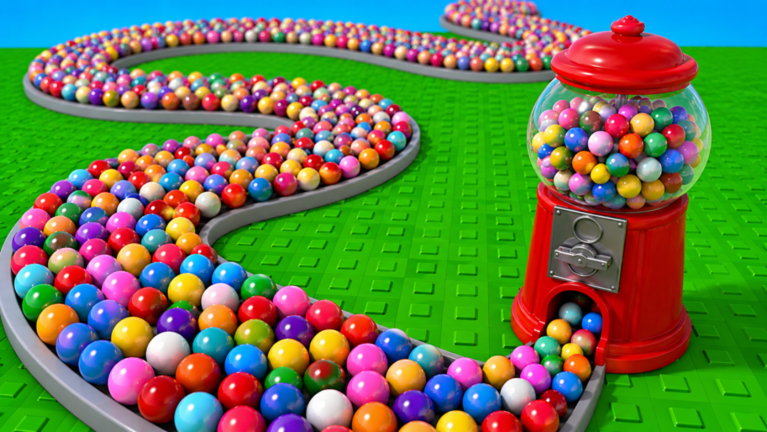
Redeeming codes in Gumball Tycoon is simple once you know where the menu lives and how picky the input field can be. This walkthrough covers PC and mobile steps for place 71896418752645 (universe 10241470506) by the I love sugar! group, then explains why codes fail, how to avoid mixing in Gumball Factory Tycoon promos, and how to spend rewards so they fuel merges instead of clutter. Keep the live list on the codes hub open in another tab while you play.
Before you redeem
- Confirm you launched the correct experience from links — creator group I love sugar!, merge-focused description, not a spiral factory clone.
- Wait until your plot fully loads and the HUD is responsive.
- Have the latest strings ready from codes (as of the November 2026 recheck, community reports still include unverified
BEIGEandWOOHOO). - Decide a spending target first: usually the next duplicate that finishes a merge, as taught in getting started and make money fast.
Skipping those four checks wastes time. Wrong-game codes never work here, and redeeming into an empty plan turns free cash into random weak machines.
PC redemption walkthrough
- Join Gumball Tycoon on Roblox from a desktop client or browser.
- Claim or enter your plot and wait for machines and menus to finish streaming.
- Open the side or top HUD and look for Codes, Gift, Rewards, or a settings gear that nests a codes tab. Icon art can move after patches tracked on updates.
- Click the text field once so the caret appears.
- Paste the code exactly — prefer Ctrl+V over retyping to avoid typos.
- Press Redeem, Submit, or the equivalent confirm button.
- Watch for a success toast (cash, boost, or item). If nothing appears, read the error line before trying a second string.
- Close the panel, then buy or merge immediately so the reward hits your economy loop.
PC tips that prevent false failures
- Do not redeem while the shop frame is still animating open on top of the codes UI.
- If Roblox chat steals focus, click the codes field again before pasting.
- Fullscreen overlays from Discord or browser toolbars can block the confirm button — briefly window the client if clicks miss.
Mobile redemption walkthrough
- Open the Roblox app, search Gumball Tycoon, and verify place
71896418752645before joining. - Rotate to landscape if portrait hides side buttons on your device.
- Tap the codes / gift / settings control after the plot loads. On small screens the icon may sit behind another panel — dismiss shop first.
- Tap the input box, then paste from your clipboard. Avoid predictive-text “corrections” that change casing.
- Tap Redeem and wait for the confirmation toast.
- Spend the cash before you alt-tab to social apps; mobile sessions drop focus easily.
If the soft keyboard covers the Redeem button, dismiss the keyboard with the system hide key, then tap Redeem. Many “broken code” reports are just covered buttons.
Case sensitivity, spaces, and copy hygiene
Treat every code as case-sensitive unless the UI explicitly says otherwise. WOOHOO and woohoo are not interchangeable when a developer wires exact string matches. Likewise, trailing spaces from messy copy/paste fail silently or show a generic invalid message.
Best practice:
- Copy from the codes hub table, not from stylized social posts with odd fonts.
- Paste once; if it fails, delete the field completely and paste again.
- Never add spaces between letters to “make it readable.”
- One attempt per account is enough for permanent codes — hammering Redeem will not unlock a second payout.
Wrong-game codes and lookalike titles
Search results for “Gumball Tycoon codes” often mix this merge experience with the older Gumball Factory Tycoon. Factory lists, autofarm discords, and spiral-belt guides do not apply here. If a code came from a video that shows conveyor belts instead of machine merges, discard it. Confirm creator I love sugar! and the buy → melt → merge pitch on the Roblox page linked from links. Day-one players should also skim getting started so they recognize the correct loop before chasing promos.
Troubleshooting when redeem fails
| Symptom | Likely cause | Fix |
|---|---|---|
| Invalid / unknown | Typo, wrong game, or expired | Recopy from codes; verify place ID |
| Already redeemed | One-time per account | Move on; do not re-share as “broken” |
| No codes button | UI moved or feature gated | Rejoin; check updates |
| Button does nothing | Overlay or desync | Close other panels; rejoin once |
| Success but no cash | Missed toast / lag | Check wallet, then melt once |
Still stuck after a clean rejoin? The string is probably expired or never valid for this place. Keep a personal expired list so you do not retest junk every session.
Spending rewards the smart way
Free cash feels best when it finishes a planned duplicate. A practical order:
- Melt any standing gumballs so your wallet shows true totals.
- Buy the missing machine that completes a merge pair.
- Merge immediately if the result is a tier you intend to keep.
- Only then consider a second buy — see pacing in make money fast.
- Leave a small buffer instead of spending to zero on cosmetics.
Avoid dumping an entire code payout into a wall of unmatched low tiers. Board space is a resource; weak machines dilute attention and slow the next melt route.
Session checklist
- Favorite the game and optionally join I love sugar! via links
- Recheck codes at session start (November 2026 status: unverified community strings only until confirmed)
- Redeem on a fully loaded plot
- Spend toward merges taught in getting started
- Skim updates if the codes UI vanished after a patch
Master redemption once, then treat codes as scheduled boosts rather than random gambling. Accurate pastes, correct place ID, and intentional spending turn every successful redeem into faster candy progress.
If a code list looks like AMAZINGTYCOON or YAY160K, you are reading the wrong game — see Not Factory Tycoon.
Frequently Asked Questions
Quick answers for melts, merges, and codes.
Where is the codes button in Gumball Tycoon?
After your plot loads, open the HUD Codes, Gift, Rewards, or Settings entry. Icon placement can change after updates, so rejoin once if you cannot find it.
Are codes case-sensitive?
Assume yes. Paste exactly as listed on the Codes Hub, including capitalization, and avoid extra spaces.
Why does a code say invalid?
Common causes are typos, already redeemed status, expiration, client desync, or using a Gumball Factory Tycoon code in this merge game.
What should I buy after redeeming?
Spend on the duplicate that finishes your next merge, then follow Make Money Fast so the reward raises income per board slot.